MiniShorts APK
Just Now
71MB
V 1.15.0
Android 6+
432K
Description
Finding enough free time for a full movie or a long TV episode can be difficult when your day is already busy. This is where MiniShorts APK comes into the picture. The app is designed for people who enjoy watching stories in shorter sessions directly from a smartphone.
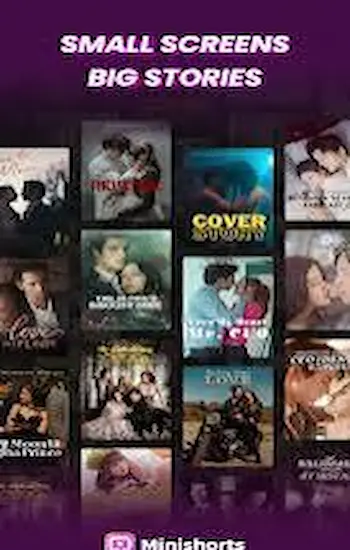
Instead of building the experience around lengthy movies and traditional television episodes, the platform focuses on compact video stories, episodic entertainment, and different genres. This makes it possible to watch something interesting during a short break, while travelling, or whenever you have a few spare minutes.
The application is associated with NOVENTURE PTE. LTD. and is available through official mobile app stores. Android users who are considering an APK installation should also understand the difference between getting an app from Google Play and installing an APK manually.
MiniShorts APK at a Glance
Before installing any entertainment application, it is useful to understand its basic details. The following table gives a quick overview of the information supported by the available app listing and source material.
| Information | Details |
|---|---|
| App Name | MiniShorts |
| Platform | Android and iPhone |
| App Type | Short-form entertainment and streaming |
| Developer | NOVENTURE PTE. LTD. |
| Content | Short movies, series and episodic stories |
| Video Quality | HD available for compatible content |
| Genres | Multiple categories |
| Monetization | In-app purchases and subscription options |
| Android Installation | Official store or APK where applicable |
| iPhone Requirement | iOS 15.0 or later according to the current listing |
App information can change when a new version is released. Users should therefore check the current store information for their particular device.
What Is MiniShorts APK?
MiniShorts APK refers to the Android installation package associated with the MiniShorts streaming application. The service is built around short entertainment content, allowing viewers to discover stories without having to reserve a large amount of time for every viewing session.
The idea is particularly suitable for smartphone users. Rather than waiting until they have enough time for a complete movie, users can open the app and watch shorter pieces of a story whenever convenient.
The available selection includes different types of entertainment, and the catalog may change as the service introduces additional titles.
Who Is This App Designed For?
This type of streaming platform can be useful for viewers who:
- Prefer shorter video stories
- Usually watch entertainment on Android or iPhone
- Enjoy drama and episodic content
- Have limited free time during the day
- Like exploring different genres
- Want to save interesting titles for later
- Prefer mobile-based entertainment
People who mainly want long-form movies or completely free content may have different expectations from the application.
What Can You Watch?
The catalog is based around short-form entertainment rather than one specific category. Depending on the current availability, users may find several types of stories inside the application.
Short Movies
Short movies are suitable when you want a complete entertainment experience without spending the same amount of time required by a conventional feature film.
Episodic Stories
Some titles are divided into multiple episodes. This format allows viewers to follow a storyline gradually and return to it later.
Drama and Romance
Drama and romance can be among the types of stories available in the catalog. The actual selection can change as titles are added or removed.
Different Genres
A wider selection of categories gives users an opportunity to move between different types of stories instead of repeatedly watching one style of content.
Important: The catalog is not necessarily identical for every person. Region, licensing arrangements, application versions, and content updates can affect what appears inside the app.
Main Features of MiniShorts
The value of a streaming application depends not only on its content but also on how easily users can discover and watch it.
Short-Form Viewing
The central idea is simple: stories are presented in a format that can fit into smaller periods of free time. You can watch an episode without planning your entire evening around it.
HD Streaming
Compatible content can be viewed in high-definition quality. Actual playback quality depends on factors such as your device, connection speed, and the video being played.
Genre-Based Discovery
Different categories help users browse according to their interests. This can make finding something suitable easier than searching through an unorganized collection.
Favorites and Saved Content
If you find a title that you do not want to watch immediately, saving it can make returning to that content easier.
Playlist Support
Playlist-style organization can help users keep interesting titles together and reduce the need to search for them repeatedly.
Mobile-Friendly Interface
The application is built with smartphone viewing in mind. Browsing and watching can be handled from a mobile screen without depending on a computer or television.
New Content
The library can receive additional titles over time. This gives returning users opportunities to discover stories they have not watched before.
MiniShorts APK Download and Installation
For most Android users, the first option worth checking is the official Google Play listing. If you specifically need an APK file, pay close attention to where the file comes from.
A manually installed APK should not be treated as automatically safe simply because its name matches the application.
Steps for Installing an APK
- Obtain the APK from a source you trust.
- Check the application name and developer details.
- Make sure the downloaded file is intended for your Android device.
- Open the APK after the download has finished.
- If Android requests permission for installation from that source, review the setting carefully.
- Permit installation only when you are confident about the source.
- Tap the installation option.
- Wait until Android completes the process.
- Open the application from your phone.
Avoid files that have unusual names, suspicious permissions, unclear developer information, or claims that appear too good to be true.
Official App Store or APK?
There is an important difference between these two installation methods.
| Point | Official Store | Manual APK |
|---|---|---|
| Installation | Usually simpler | Requires extra steps |
| Source verification | Store-based checks available | User must check source |
| Updates | Usually handled through store | May require manual update |
| Security checks | Store protections may apply | Depends heavily on file source |
| Beginner Friendly | Generally easier | Requires more caution |
For users who simply want to install the application, the official store route can be more straightforward when the app is available for their device.
How to Start Using the App?
After installation, take a few moments to explore the interface instead of immediately searching for a specific title.
Start with the home section and look through the available categories. Open a story to view its details before beginning playback. If a title looks interesting but you do not have enough time to watch it, use the available saving or playlist options.
A simple browsing routine can make the experience easier:
Choose a genre → Browse titles → Check the story → Start watching → Save interesting content
This approach is more practical than opening random titles one after another.
Are All Videos Free?
Installing a streaming application without an upfront charge does not necessarily mean that every item inside it is free.
The available information indicates that the service can include coins, subscriptions, and other in-app purchases. The exact price and package structure may vary depending on the country, platform, and current version.
Before purchasing anything, carefully read the payment screen.
What Should You Check Before Buying?
Look at:
- The displayed price
- What the selected package includes
- Whether coins are needed for particular content
- Subscription renewal terms
- Cancellation instructions
- Payment confirmation details
- Whether the purchase is actually necessary for the content you want
It is sensible to understand the payment conditions before spending money rather than assuming that every feature is included for free.
Internet Requirements and Video Quality
Streaming performance depends heavily on your internet connection. HD video generally requires more bandwidth than basic browsing.
If a video repeatedly stops or loads slowly, try these basic checks:
Check Your Connection
Switch between Wi-Fi and mobile data to see whether the problem is network-related.
Reduce Background Activity
Other applications using the internet can affect streaming performance, particularly on slower connections.
Consider Mobile Data Usage
Long viewing sessions can consume a significant amount of mobile data. Users with limited data packages should keep this in mind before watching HD content for extended periods.
Privacy and Permissions
Privacy deserves attention whenever you install an application, especially when using an APK obtained outside an official store.
The available developer-provided Android data-safety information indicates that categories such as personal information, photos and videos, and device or other identifiers may be collected. It also indicates encryption while data is being transferred and provides an option for users to request deletion of their data.
These details can change with future versions, so checking the current listing remains important.
Review Permissions Carefully
Do not automatically approve every permission request. Consider whether a requested permission makes sense for the feature you are using.
This is particularly important with manually downloaded APK files because the file’s origin and integrity become your responsibility.
Common Problems and Solutions
Even a properly installed streaming app can occasionally experience technical issues.
Video Is Buffering
Start by checking your internet connection. Try another network, restart your connection, and reduce other online activity.
APK Will Not Install
Check your available storage and Android compatibility. An incomplete or corrupted download can also prevent installation.
App Suddenly Closes
Restart the application and close unnecessary background programs. If a newer official version is available, updating may help resolve version-specific problems.
A Story Is Missing
Content availability can vary according to region, licensing, application version, and catalog changes. A title visible to another user may not necessarily appear on your device.
Payment Is Still Pending
First check your account and payment status. If a transaction has not completed, avoid immediately purchasing the same item again.
Advantages of the MiniShorts Experience
The short-video approach can be useful for people with limited time.
Some notable points include:
- Shorter viewing sessions
- Several entertainment categories
- Mobile-focused experience
- HD playback for compatible videos
- Episodic storytelling
- Saving and playlist options
- New titles may appear over time
- Android and iPhone availability through official stores
- Convenient entertainment for short breaks
Things to Keep in Mind
There are also a few practical considerations before deciding whether this type of streaming service matches your viewing habits.
First, some content may involve coins or paid access. Therefore, users looking only for completely free entertainment should examine the payment requirements carefully.
Second, people who prefer traditional full-length films may not enjoy a platform centered on shorter stories as much.
Finally, anyone choosing a third-party APK must pay additional attention to the download source and file integrity.
MiniShorts on Android and iPhone
The application is not limited to Android APK users. The available information indicates that it is also offered for iPhone through Apple’s App Store.
For the iPhone version, the current listing specifies iOS 15.0 or later. Requirements, pricing, application size, features, and catalog availability can change with updates.
This is why users should rely on the current listing for their specific device instead of older APK specifications found elsewhere.
Is MiniShorts APK Safe?
Safety depends partly on where the installation file comes from.
The application has an official Google Play presence under NOVENTURE PTE. LTD. When installing through an official store, users benefit from the store’s normal distribution and checking processes.
A third-party APK requires more caution. Before installing one, verify the developer information and source.
Avoid Modified APK Claims
Be especially careful with files advertised as:
- Unlimited coins
- Premium unlocked
- Free paid episodes
- Modified premium versions
- Purchase bypass versions
Such modifications can create additional privacy, security, stability, or account-related risks.
When an official version is available, using that version avoids many of the uncertainties associated with modified packages.
Who Should Consider This Streaming Format?
MiniShorts can make sense for people who prefer entertainment that can be consumed in smaller sessions. It may be useful for smartphone viewers who enjoy dramas, episodic stories, and exploring different categories.
On the other hand, viewers who want a large collection of completely free full-length movies may want to look at services built specifically around that type of catalog.
The important point is to understand how the application works before downloading or paying for anything.
Final Overview
MiniShorts APK represents a mobile-first approach to entertainment where stories can be enjoyed in shorter viewing sessions. Its catalog can include short movies, episodic productions, drama, romance, and other categories, while features such as HD playback, favorites, playlists, and content discovery make browsing more convenient.
At the same time, users should understand the difference between downloading an application and accessing all of its content. Some features or titles may involve coins, subscriptions, or other purchases.
For Android users considering an APK, checking the developer, source, permissions, version, and file authenticity is equally important. The safest routine is to use the official store version whenever it is available and avoid modified packages promising unrestricted paid features.
Frequently Asked Questions
Is MiniShorts APK available for Android?
Yes. The Android application can be distributed through Google Play, while users who specifically need an APK can install an appropriate package manually after checking its source and compatibility.
Does MiniShorts contain short movies?
Yes. The platform focuses on shorter entertainment and can include short movies, episodic stories, and different types of drama content.
Does MiniShorts require payment?
The application can include in-app purchases, coin packages, and subscription options. The exact pricing and availability can differ according to region and platform.
Why does a video keep buffering?
Buffering is commonly connected with an unstable or slow internet connection, although device performance and other factors can also affect playback. Testing another network is a useful first step.
Can I use MiniShorts on an iPhone?
Yes. The available information indicates that the application is also listed for iPhone, with the current listing requiring iOS 15.0 or later.
Download links
How to install MiniShorts APK APK?
1. Tap the downloaded MiniShorts APK APK file.
2. Touch install.
3. Follow the steps on the screen.